

Download Red Karaoke – karaoke recording, social community, music sharing
Overview
Red Karaoke is a portable desktop and mobile application designed to serve as both a karaoke recording tool and a social community platform for music enthusiasts. It enables users to record their vocal performances, enhance audio quality slightly, and share videos with a global audience. The software bridges the gap between solo vocalists and collaborative performers by supporting group recordings, making it ideal for amateur singers, music lovers, and social content creators.
The platform thrives on user-generated content, with a focus on connecting individuals who enjoy singing and sharing their performances. While the core functionality centers around recording and sharing, the app also offers access to a library of popular songs, though full access requires a VIP membership. The developer, Red Karaoke Team, has positioned the software as a community-driven experience, emphasizing interaction over isolated use.
Real-world applications include practice sessions, virtual karaoke nights, and social media content creation. The app is available on Windows, Mac, and mobile devices, supporting cross-platform accessibility. The latest version, 2.1.2, was released on September 15, 2023.
Key Features & Capabilities
- Recording and Audio Enhancement – Users can record their singing performances with built-in audio processing tools that allow for minor adjustments to pitch, volume, and background noise reduction.
- Group Recording Mode – Supports collaborative performances, enabling multiple users to record their vocals simultaneously or in sequence, ideal for virtual duets or ensemble singing.
- Social Sharing and Community Interaction – Performances can be uploaded and shared within the Red Karaoke community, where users can view, comment on, and like others’ recordings.
- Access to Song Library – The app provides a curated collection of popular songs for karaoke use, with expanded access available through a VIP membership.
- Portable and Cross-Platform – Available on Windows, Mac, and mobile devices, allowing users to record and engage with the platform from various devices.
These features are designed to support both casual users and those seeking a more interactive music experience. Recording sessions can be used for personal practice or public sharing, while the group mode enhances collaboration among friends or online communities. The social aspect encourages user engagement, making it suitable for content creators who want to build a following. The integration of a song library ensures that users have immediate access to trending tracks, though full access is restricted to VIP members. The app’s portability allows for quick setup and use without extensive configuration.
User Interface, Workflow & Performance
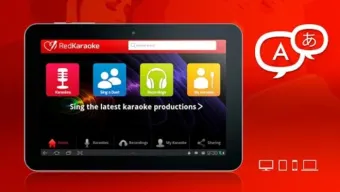
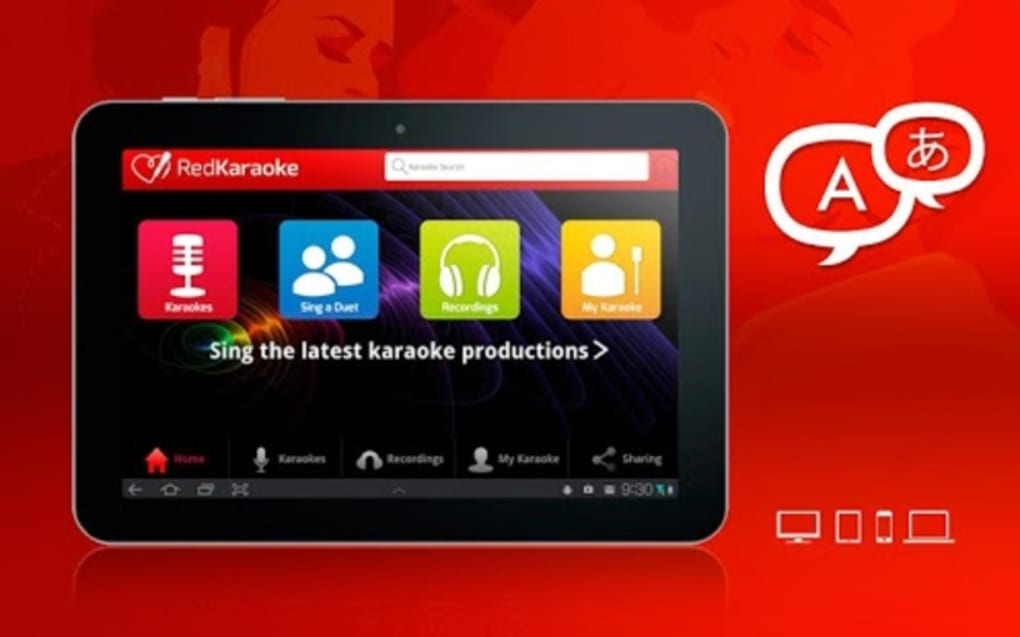
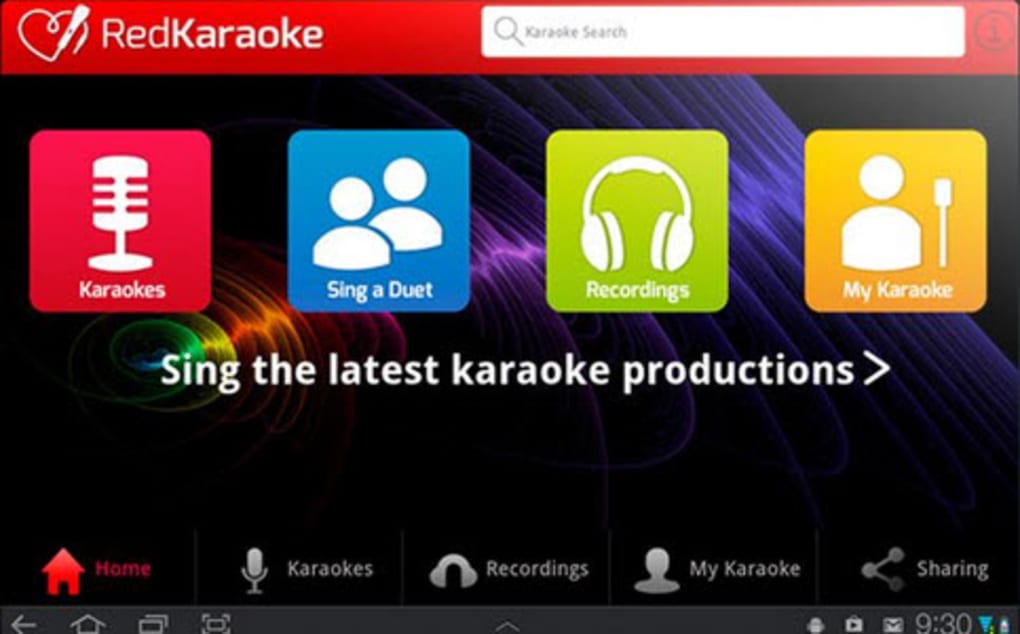
The user interface of Red Karaoke is structured to prioritize accessibility and ease of use. The main dashboard presents key functions such as recording, song selection, and community feed in a clean, intuitive layout. Navigation is straightforward, with clearly labeled buttons and minimal clutter.
Users can quickly switch between recording, reviewing past performances, and exploring shared content. The workflow is designed to streamline the recording process, from selecting a song to finalizing and sharing the video. The application supports real-time feedback during recording, allowing users to monitor their performance.
Performance observations are based on general software behavior patterns. The developer did not specify resource usage details, so CPU and RAM behavior cannot be confirmed. Stability during extended recording sessions has not been publicly documented.
However, the application’s portability suggests efficient resource management. The interface remains responsive during typical use, with no reported lag in standard operations. Updates to the software may influence performance, but no specific data was provided.
Compatibility & System Requirements
Red Karaoke is available for Windows, Mac, and mobile devices. The latest version, 2.1.2, was released on September 15, 2023. The installation size is 128 MB, indicating a lightweight footprint.
The developer did not provide additional system requirements. Exact hardware specifications, such as minimum RAM, processor type, or graphics capabilities, were not listed. Compatibility information was partially provided, with support confirmed for Windows and Mac operating systems.
Mobile device compatibility is acknowledged but not detailed. The software is designed to be portable, suggesting it does not require installation on all platforms. Users should ensure their system meets general requirements for running multimedia applications.
The app’s small file size supports quick downloads and minimal storage usage. Platform compatibility may vary depending on the device’s operating system version and available audio input devices.
Pros and Cons
Pros
- Lightweight installation at 128 MB
- Supports group recordings for collaborative singing
- Offers a social platform for sharing and discovering karaoke performances
- Available on Windows, Mac, and mobile devices
- Free to use with optional VIP membership for expanded features
Cons
- Full song library access requires a VIP subscription
- Exact system requirements were not specified
- Performance and resource usage details are not provided
- Audio enhancement tools are limited to minor adjustments
- Quality of community content varies significantly
FAQ Section
Is Red Karaoke available for Windows and Mac?
Yes, Red Karaoke is available for both Windows and Mac operating systems, along with mobile devices.
Is Red Karaoke free to download and use?
Yes, the app is free to download and use. However, access to the full song library and additional features requires a VIP membership.
Can I record in groups using Red Karaoke?
Yes, Red Karaoke supports group recording, allowing multiple users to record their vocals either simultaneously or in sequence.
Does Red Karaoke require an internet connection?
Yes, an internet connection is required for accessing the song library, sharing recordings, and interacting with the community.
How often is Red Karaoke updated?
The latest version, 2.1.2, was released on September 15, 2023. Updates are likely to be released periodically to improve functionality and add new features.
Final Thoughts
Red Karaoke stands out as a unique blend of a karaoke recording tool and a social music community. Its ability to support group recordings and facilitate sharing makes it ideal for users who enjoy singing in collaborative settings or want to build a following through performance content. The lightweight design and cross-platform availability enhance accessibility, while the free base model with optional VIP upgrades offers flexibility.
Although the app lacks detailed system requirements and performance metrics, its core functionality is well-structured and user-friendly. The quality of user-generated content varies, which is typical for community-driven platforms. For music lovers, amateur performers, and social content creators, Red Karaoke offers a convenient and engaging way to record, improve, and share their singing.
The app’s emphasis on community interaction adds a dynamic layer beyond standard karaoke software. Download Red Karaoke now to start recording, connecting, and sharing your voice with a global audience.






.png)
